Trick Photography Made Simple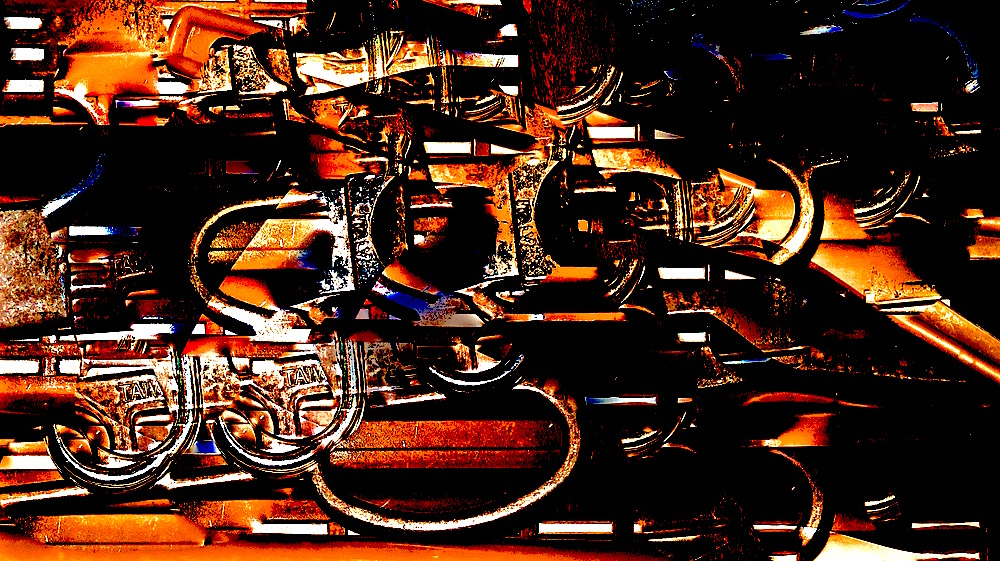
Can you guess what this image is? It is something in my house. I took the shot and then worked with light, color,saturation, contrast, cast, sharpen and definition in the Photos editing bar on my Mac. Last, I used the retouch (bandaid) and by option/clicking, chose details to duplicate and paste over portions of the photo to “paint” with details of the photo. By enlarging and decreasing the areas chosen to copy and rotating the photo, I was able to get more variety in copying and pasting different sections. There is something about the photo that reminds me of my dad’s old flintlock rifle.
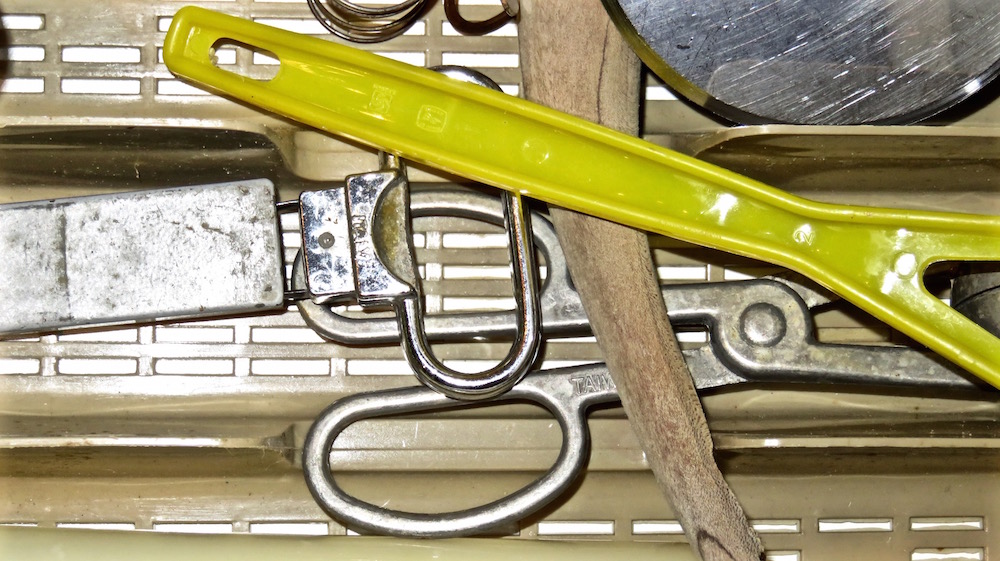 But actually, this is the original–just a detail from a photo of a drawer in my kitchen.
http://ceenphotography.com/2015/09/20/cees-odd-ball-photo-challenge-2015-week-38/
 lifelessons - a blog by Judy Dykstra-Brown
Judy, you are having some fun. I was guessing some kind of old gun. You got me on this one. 😀
LikeLiked by 1 person
I had bicycles in my head until you said something in your house. That threw me.
LikeLiked by 1 person
My head is still spinning from reading the editing list, Judy, but I greatly enjoyed the result. 🙂
janet
LikeLike
It was a good deal harder to explain than to do, Janet. I just went down the list and tried everything, removed what I didn’t like, then madly played with the copy and paste button. It was none of it really planned–just playing. Sorry I made you dizzy.
LikeLike
Judy, I’ve done the same thing and if you don’t write them down as you go, it’s all over. 🙂 Editing can be so much fun.
LikeLiked by 1 person
All I had to do was go back to my photo library and look to see in the menu what I’d done..Main work was copying it all down.
LikeLike
It was both fun and spontaneous–qualities I demand in my execution of both words and art. Too little time left to spend it doing tedious things. Thanks for viewing and commenting, Janet.
LikeLike